Most Microsoft Fabric migration meetings open the same way. Someone sketches a dozen pipelines on a whiteboard, one per source system, before anyone asks whether each source needs a pipeline at all.
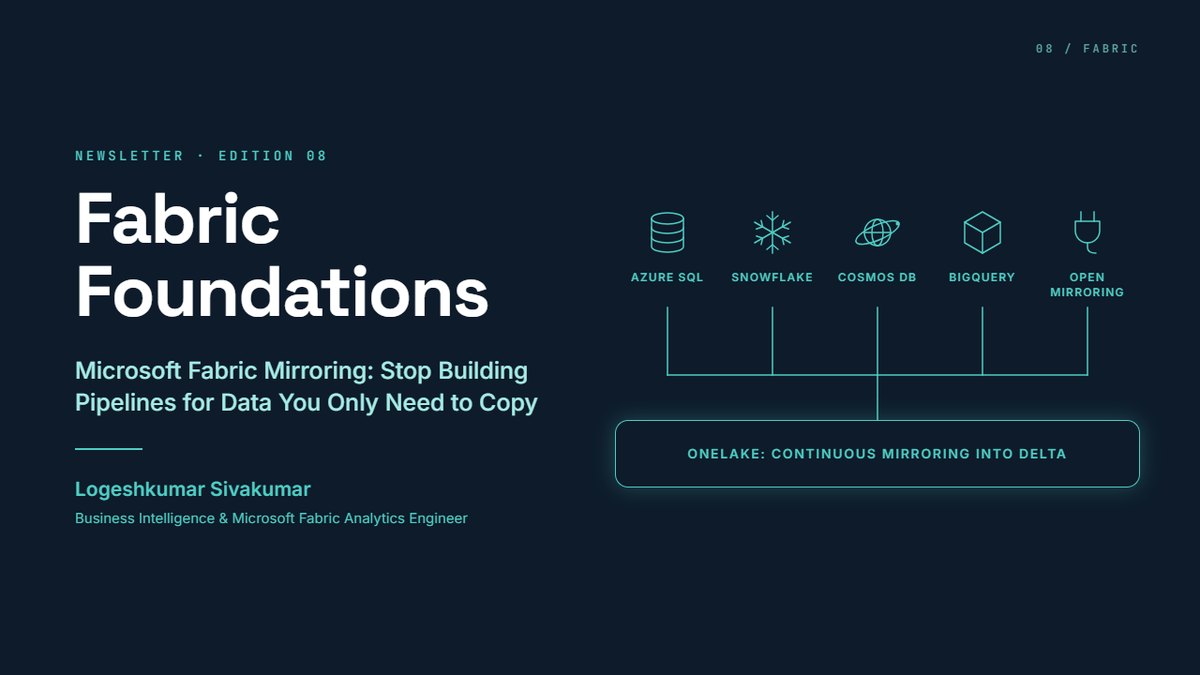
Microsoft Fabric mirroring continuously replicates an existing database into OneLake as open Delta tables, with no ETL to build or maintain. That one idea changes the first question in a project. It stops being "how do we write these pipelines?" and becomes "which sources actually need one?"
What are the three types of mirroring in Microsoft Fabric?
Database mirroring physically copies databases and tables into OneLake from sources like Azure SQL Database, Snowflake or Cosmos DB. Metadata mirroring syncs only catalog names, schemas and tables, and uses OneLake shortcuts so the data stays at the source. Open mirroring lets any developer or partner write change data into a mirrored database item using the open Delta format and public APIs.
Most people only know the first. The third matters more than it sounds. If a source has no native connector, the answer is not automatically a custom pipeline. Partner tools such as Qlik Replicate, Striim and Simplement already write into open mirroring.
How does Microsoft Fabric mirroring work without loading the source?
Replication starts with a snapshot of each table, then streams inserts, updates and deletes into OneLake as Delta Parquet. The change detection method differs by source. Analytical queries run against the OneLake copy, so the production database never sees them.
Setting up a mirror creates three things in the workspace: a replication process, a mirrored database item, and a read-only SQL analytics endpoint over the Delta tables. You define views and query. Writes stay at the source.
Mirroring vs shortcut vs pipeline: how do you choose?
Use a shortcut when the data already sits somewhere OneLake can reach, like ADLS or S3, and you want live read-only access with no change capture. Mirror when the source is an operational database and you want continuous change data capture as an analytics-ready replica. Build a pipeline when you need real transformation, business logic or orchestration.
Mirroring is replication, not transformation. You get a faithful copy, so cleaning and modelling still belong in your medallion layers. My default is to mirror for the raw layer, then spend pipeline effort only where the transformation is real.
What goes wrong with Microsoft Fabric mirroring in production?
Retention catches people first. Mirroring runs vacuum automatically, and for mirrored databases created in the portal after mid-June 2025 the default retention is one day. If a stakeholder wants 30 days of history, check the setting before promising anything. It sits under Settings, Delta table management, or in the API as retentionInDays.
Capacity pauses come next. Pausing and resuming a capacity puts replication into a Paused state, and no data replicates while the capacity is paused. Routine cost-saving pauses mean stale data and a catch-up afterwards.
Then there is Mirror all data, the default option. It also mirrors any table created later. Storage for replicas is free up to a limit based on capacity size, and you pay OneLake rates beyond that. Picking tables deliberately is the habit that separates a tidy estate from a junk drawer.
Next time a migration conversation opens with a dozen pipelines, ask which ones are really just copies. Subscribe to Fabric Foundations for the next breakdown in this series.
Previous in this series: Fabric Warehouse: What it is for, and when read-only stops being enough
References:
- What is Mirroring in Fabric? learn.microsoft.com
- Monitor Fabric mirrored database replication: learn.microsoft.com
- Open mirroring partner ecosystem: learn.microsoft.com